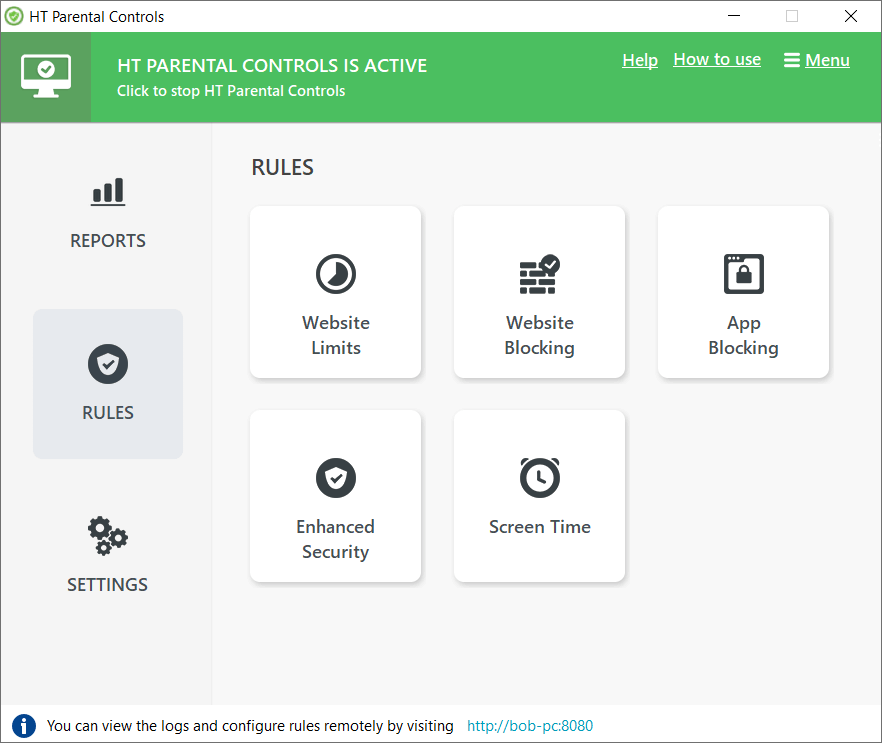
HT Parental Control: Top Features
Block Adult Content
HT Parental Control includes a powerful Internet filter which guarantees a safe Internet for your child. It blocks inappropriate content in up to 10 predefined categories, scanning each page in any popular browser. You can also block all websites except those approved.
Block & Limit Websites
The app allows you to block or limit certain websites by URLs and keywords. Just add a website address or a keyword to the list, and our Internet filter will block or limit it in accordance with your preferences. Blocking all sites except those whitelisted also is available. Read how to block Facebook
Control Apps & Games
HT Parental Control tracks all launched applications on your child’s computer. Besides monitoring, it allows you to block or limit time on any programs, games, or chats. Just choose the applications that you wish to block or control access. Learn how to block/limit applications
Monitor Websites
Monitor all visited websites. HT Parental Control records websites showing you charts and sequences. It is the best way to see what websites are visited and how long your child spends on each. The program supports all versions of popular browsers.
Screenshot Capturing
HT Parental Control captures screenshots at intervals defined by you. You get not only a list of sites and applications but also a visual representation and better understand how your child behaves in the virtual world.
Emailed Reports
The Parental Control automatically sends reports with logs to your email. You can see what your child is doing on the computer from any place where you could check your email. The ability to view reports remotely makes monitoring more comfortable.
Protect, monitor & manage your child’s computer activity

HT Parental Control is the best way to protect your child against any online threats. It combines monitoring with powerful filters that protect your child from abusive websites and ensure their safety. It allows you to manage any activity by blocking or limiting the sites and applications you wish. Adult sites, games, chats, social networks and much more can be blocked or limited in accordance with settings.
The program records everything your child does on the computer while sending you reports by email. Monitoring is invisible and includes websites, applications, screenshots, and other computer activity. Our parental control software will make the Internet and computer safe for your child to use!
Get Started in a Few Minutes


2. Configure
Easily set filters to block/limit unwanted computer activities and disable online threats.

3. Protect
Powerful filters automatically protect your child from harmful content.
More Benefits for More Protection
All Users
HT Parental Control can monitor and restrict all users on the computer. Even if a user has administrative rights, it’s not a problem. You can customize all the features for different users.
Invisible
HT Parental Control begins automatically monitoring computer activity immediately upon installation. The software is invisible to users—it works silently in the background.
Impossible to Bypass
All attempts to circumvent your bans will fail. The software contains advanced protection features making it impossible to bypass for even the most tech-savvy teen.
Ready for your free trial?
Make your child’s computer experience healthy and happy with HT Parental Control. The software helps you to block threats and balance and regulate computer usage. Start protecting your family today!